10 Tips for Creating an Eye-Catching CD Jacket
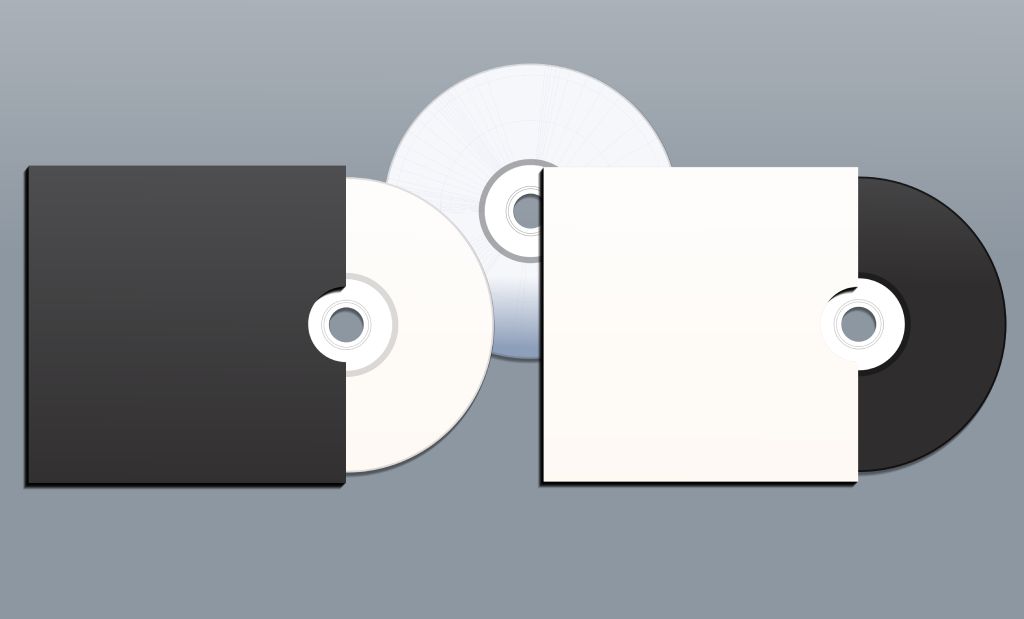
TL;DR: A well-designed CD jacket helps your physical media look polished, memorable, and worth keeping. Strong visuals, clear branding, and print-ready details all work together to create packaging that stands out.
- Start with a clear concept that reflects your message and audience
- Use high-quality images and design in CMYK for print accuracy
- Choose clean typography and the right layout template
- Select the right printing partner to ensure quality and consistency
Even in a streaming-first world, physical media still has a strong pull. A well-designed CD jacket does more than protect what’s inside. It grabs attention, tells a story, and helps people connect with your brand before they even hit play.
If you want your CD cover to stand out on a shelf, at an event, or in someone’s hands, here’s how to design a jacket that gets noticed.
How to Create a CD Jacket
Designing an eye-catching CD jacket comes down to a mix of creativity and attention to detail. Here are the key steps to help you get it right from the start.
1. Start with a Clear Idea
Before you start designing, take a minute to think about what you want your CD jacket to say. Ask yourself:
- What feeling should this create?
- Who am I trying to reach?
- What makes this project different?
When you start with a clear concept, everything else becomes easier. Your visuals, colors, and layout will feel intentional instead of random.
2. Make the Front Cover Count
The front cover is your first impression. It needs to catch attention quickly. A few tips:
- Use one strong focal point instead of several competing elements
- Keep things simple and clean
- Use contrast to help important elements stand out
If someone only looks at your cover for a few seconds, they should still get a sense of what your CD is about.
3. Use High-Quality Images
Low-quality images can ruin an otherwise great design. Make sure you:
- Use images at 300 DPI for print
- Avoid stretching or enlarging small files
- Stick with professional photos or high-resolution graphics
Sharp visuals instantly make your custom CD jacket look more polished and credible.
4. Design for Print, Not Just Screens
What looks good on your screen might not look the same once printed. To avoid surprises:
- Design in CMYK color mode
- Be mindful of how colors may shift in print
- Think about how finishes like gloss or matte will affect the final look
Taking a little extra time here helps ensure your final product matches your vision.
5. Choose Fonts That Fit Your Style
Typography plays a bigger role than most people expect. Keep it simple:
- Pick fonts that match your tone
- Make sure everything is easy to read
- Avoid using too many different fonts
Your text should support your design, not compete with it.
6. Use the Right Template
CD jacket designs come in different formats, and each one has specific dimensions. To stay on track:
- Use a professional template
- Pay attention to bleed and safe areas
- Make sure everything lines up across panels
This helps prevent misaligned artwork or awkward cuts during the CD jacket printing process.
Looking for a template for your CD sleeves or jackets? Download our templates here.
7. Pick the Right Finish
The way your CD jacket feels matters just as much as how it looks. Some popular options:
- Glossy for bright, vibrant colors
- Matte for a softer, more refined look
- Textured or recycled stock for something unique
The right finish can elevate your design and make it feel more premium.
8. Keep Your Branding Consistent
If this CD is part of a larger brand or campaign, consistency is key. Try to:
- Use your brand colors and logo
- Match the style of your other materials
- Keep everything visually connected
This helps build recognition and trust with your audience.
9. Double-Check Everything Before Printing
Before you send your design off, take one last look. Go through:
- Spelling and grammar
- Alignment and spacing
- Image quality and resolution
If possible, get a second set of eyes on it. Catching small mistakes now can save time and money later.
Why Choose Blank Media Printing?
Once your design is ready, the next step is choosing a printing partner that can bring it to life the right way. That is where Blank Media Printing comes in.
We specialize in high-quality CD and DVD packaging, making it easier to turn your ideas into a finished product that looks professional and feels polished.
- Wide range of packaging options: From simple sleeves to more detailed multi-panel designs, you can find a format that fits your project and your budget.
- Consistent print quality: Your colors, images, and text are reproduced clearly and accurately, so your design looks the way you intended.
- Flexible order sizes: Whether you need a small batch or a large run, you can order with confidence without overcommitting. **Min order 25, bulk discounts available
- Fast turnaround times: When you are working on a deadline, production time matters. Typical delivery in 7-10 business days or choose rush service from 3 days.
- Expert support: If you have questions about templates, file setup, or finishes, their team can help guide you through the process.
Choosing the right printer can make a significant difference in how your final product looks and feels.
Ready to Bring Your CD Jacket to Life?
Designing a CD cover is about creating something people want to pick up and keep. When you combine strong visuals, clear messaging, and quality printing, the result speaks for itself.
If you are ready to turn your design into a professional finished product, explore your options for printed CD packaging.